Guided highlights · six real product views · about four minutes
See exactly what MissionPI delivers.
Tour the working MissionPI interface—from trusted data intake to leadership recommendations. Every screen uses 3141 Intel Test synthetic, aggregate demo data and is separated from customer data.
Guided walkthroughMissionPI Board
View 01Leadership operating picture
See what deserves attention before the meeting starts.
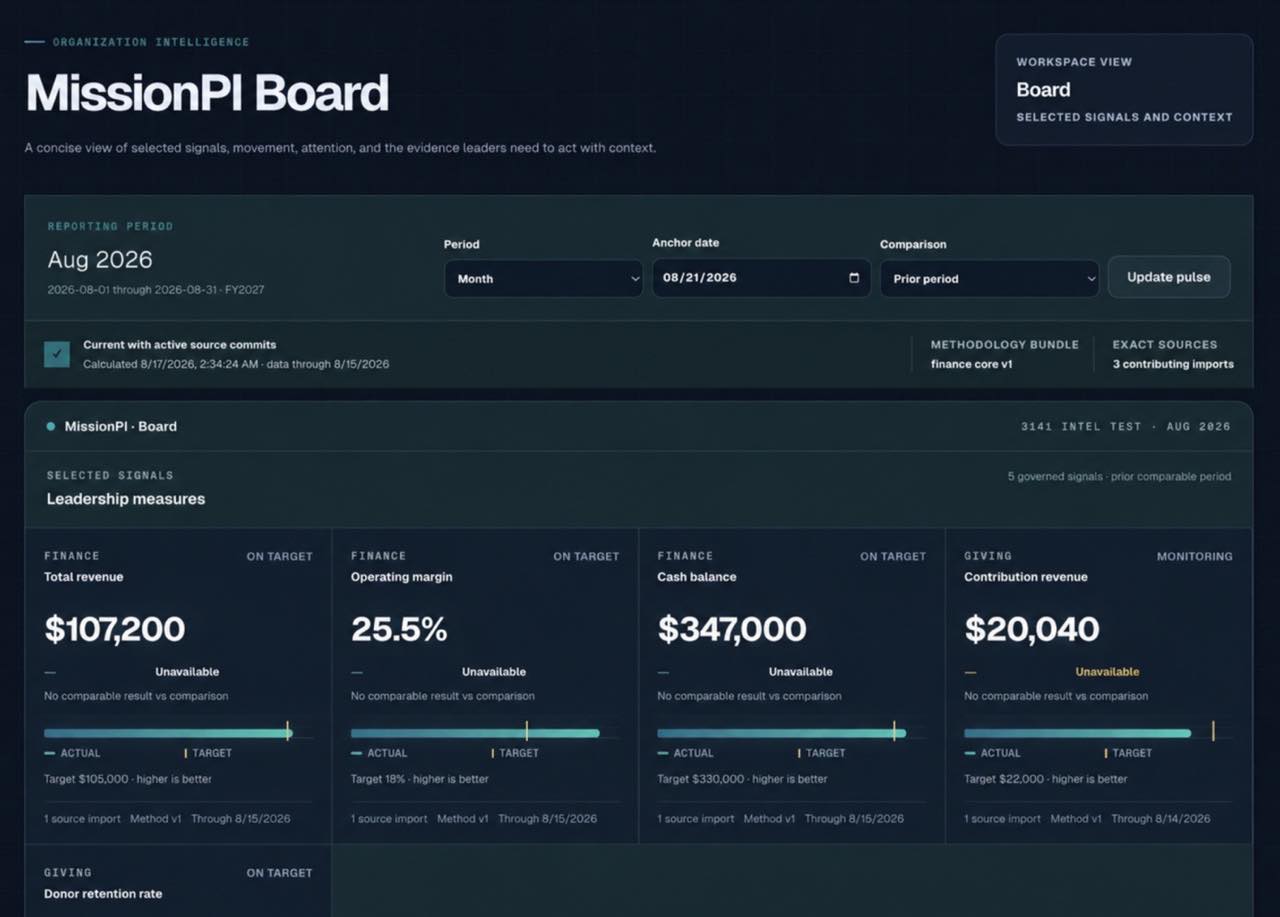
MissionPI Board brings the reporting period, source freshness, targets, and cross-module signals into one leadership view.
- Cross-module leadership signals
- Target and period context
- Source lineage at a glance
Explore this screenSelect a numbered highlight
Highlight 01Set the decision period
Keep every leadership measure anchored to one explicit reporting window.
Step 1 of 6: MissionPI Board